


Setting up a course website on WordPress takes a weekend. Filling it with a course people finish, and telling enough of the right people about it, takes much longer, and it's the part that decides whether you earn anything. So this guide starts with the course and gets to the software later. I'll also be straight about what I know and don't: the plugin details below come from their WordPress.org listings, which I read on 19 November 2026, and the course advice is general practice, not a promise of results.
We make SkillForge, a WordPress theme with a learning system built in, so it appears in the later sections. Read that part the way you'd read any maker's own description.
Start with the course, not the website
Before you install anything, write down three things: who the course is for, what they'll be able to do at the end, and why they'd pay you for it when they could find videos for free.
That last one is the hard one. "Learn photography" is a crowded space. "Photograph your own handmade products for an online shop, using a window and a phone" is a smaller one, and a person with that exact problem will pay to have it solved. The narrower the promise, the easier it is to explain on a sales page.
If you can, sell it to a few people before it's finished. A short live session or a rough first version tells you what confuses them, and you'd rather learn that before you've recorded forty videos.
Structure the course so people finish it
Most people who buy a course don't complete it. You can't fix that completely, but structure helps a lot.
Aim for sections that each lead to something the learner can do. Keep lessons short enough to finish in one sitting; ten minutes is easier to start than forty. Put a quick check after each section, a quiz or a small task, so people feel progress. And end with something real: a project, a finished piece of work, something worth showing someone.
Your first section matters most. If a learner gets a small win in the first twenty minutes, they're far more likely to come back for the second lesson.
Three ways to run a course on WordPress
A learning plugin on a normal theme. You pick an LMS plugin, add it to a theme you already have and set up payments. This gives the most control and the most to configure.
A theme with the learning system built in. Less to assemble, but you're tied to that theme's way of doing things.
A hosted course platform. Not WordPress at all. It's the least work to launch, but you pay a share or a monthly fee and your students belong to the platform's site. I'm mentioning it so you can weigh it fairly; this guide is about the first two.
What the main plugins offer
Three well-known free plugins, as described on their WordPress.org pages:
| Plugin | Active installs | Free version includes | Paid extras |
|---|---|---|---|
| Tutor LMS | 90,000+ | Course builder, several quiz types, reports, built-in eCommerce | Some advanced quiz types; certificate builder and verification are premium add-ons |
| LifterLMS | 10,000+ | Memberships, certificates, basic quizzes | Payment gateways (Stripe, PayPal and others), advanced quizzes, assignments |
| Sensei LMS | 9,000+ | Lessons and courses in the block editor, quizzes, progress reports, a free certificates extension | Selling courses goes through Sensei Pro with WooCommerce; also timers and drip |
Two cautions. First, these pages sometimes aren't clear about exactly which feature sits in which tier (Tutor's page is vague about its payment features, for example), so check each plugin's pricing page before you commit. Second, "free" often means free to start. If you need payments through Stripe or PayPal, check whether that's in the free version or an add-on. LearnDash is another popular choice, and it's paid; I haven't checked its details here, so look at its own site.
Build a course page that sells
The page where someone decides to buy needs to answer a few questions quickly: what will I learn, who is it for, what's in it, who's teaching it and what does it cost.
Put the promise first, in plain words. Show the curriculum as a list of sections and lessons so people can see how much there is. Say how long it takes. Introduce the instructor with a real photo and a sentence on why they're qualified. If you have learner results, show them, but only real ones. If you don't have reviews yet, don't invent them; a short, honest page works better than one that sounds too good.
Pricing
I can't tell you the right price, but I can tell you how to find it.
Look at what comparable courses charge, then decide where you sit and why. A one-off price is simple. A subscription suits a library of courses that keeps growing. Offer a refund window you're comfortable with and say so on the page; it lowers the risk for a buyer. And plan a launch discount through a coupon code instead of a lower base price, so you can end it.
Check the tax rules where you and your buyers live. Digital products are taxed differently in different places, and this is an area where it's worth reading the official guidance or asking an accountant.
Certificates, drip content and reminders
These three features help with completion, which is what your learners are really paying for.
A certificate gives people something to finish for. Make it verifiable so it means something.
Drip content releases lessons over time. It stops people racing through and forgetting, and it suits courses that build week by week. It's wrong for a course people want to binge, so decide which yours is.
A reminder email to someone who has stopped studying brings some of them back. Keep it occasional, say where they stopped, and always let them opt out.
Setting it up with SkillForge
SkillForge is our course theme. Its companion plugin includes the learning system, so there's no separate LMS plugin. According to the product page, it has:
- a course catalog with filters, course pages and a curriculum builder for video, article and quiz lectures;
- a learning page that saves progress, quizzes marked on the server and project assignments that instructors grade;
- certificates anyone can verify by number, with a designer for the layout;
- a cart with coupon codes and card payments through Stripe;
- an instructor dashboard, learner accounts and messages;
- drip content, streaks and weekly goals, reminder emails and reports showing where learners stop;
- an optional quiz writer that uses your own OpenAI or Anthropic key.
It works with the free Elementor plugin and needs WordPress 6.0 and PHP 8.0 or newer. Plans start at $69 a year for one site. You can try the live demo and read the documentation.
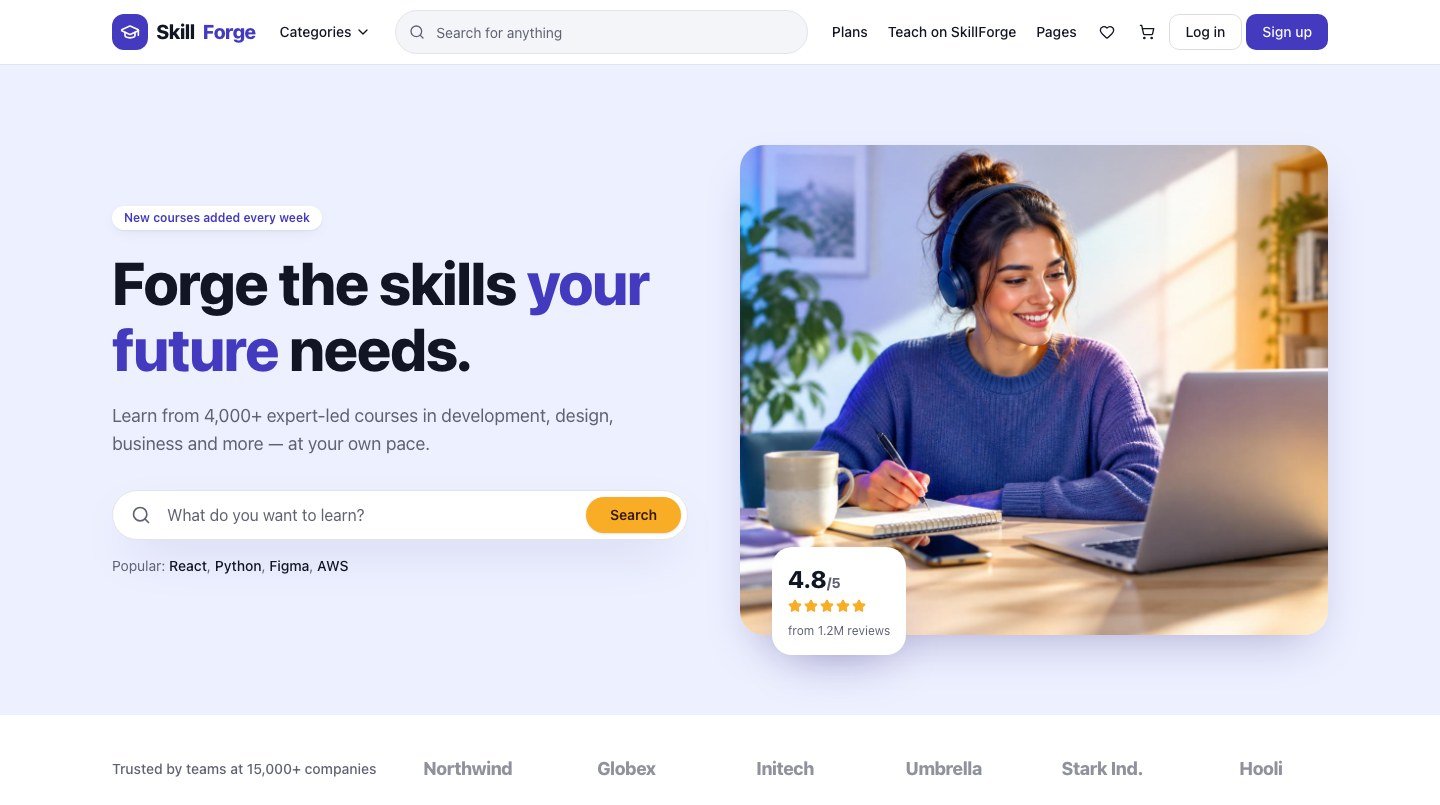
Where it falls short, so you can decide with the full picture: payments are by card through Stripe only. Video lectures use a link to a video you host elsewhere, since the theme doesn't host video itself. Checkout needs a learner account. And it's a new theme, first released this autumn, without the review history of older plugins like Tutor LMS or LifterLMS. As with any demo, the courses, instructors and figures are made up, so you replace them with your own.
Before you launch
- Finish one complete course, not five half-built ones.
- Test the whole journey yourself: find the course, buy it, take a lesson, finish and get the certificate.
- Check the refund and privacy pages say what you actually do.
- Make sure the course works on a phone, where many learners will watch.
For more on picking a platform, read How to Choose a WordPress Theme for a School, University or Online Courses. If you're new to page building, Elementor for Beginners will help.
Questions people ask
Do I need a separate LMS plugin?
Not with SkillForge, whose companion plugin includes the curriculum, lessons, quizzes, assignments, progress, certificates and instructor dashboard. With a normal theme, you do.
Can I sell courses with Stripe?
SkillForge takes card payments through Stripe once you add your keys. With an LMS plugin, check whether Stripe is in the free version or a paid add-on.
What lessons can a course include?
In SkillForge, video lectures (using your own video link), article lectures and quizzes, grouped into sections, plus project assignments.
Do learners need an account to buy?
In SkillForge anyone can browse and add courses to the cart. Checking out asks them to sign in or create a free account, and their cart is kept.
Which plugin is best?
It depends on what you need to sell and how. Choose by the exact features you need and the tier they sit in, and test the free version first.
Disclosure: Wow Themes makes SkillForge. The plugin details above come from their WordPress.org listings, read on 19 November 2026, and may have changed. SkillForge details come from its product page.

Written by
The people behind Wow Themes
The Wow Themes team builds and supports WordPress themes and plugins, plus Vue and React templates. On the blog we write about building, running and securing websites: WordPress and WooCommerce, JavaScript, performance and the tools we use day to day.


Comments
No comments yet. Be the first to share your thoughts.