


Soirée
An elegant events and venues WordPress theme for galas, weddings, concerts and conferences, with ticket tiers and online reservations.
About
Every moment, beautifully orchestrated.
Soirée is a WordPress theme for event, venue and ticketing websites: galas, weddings, concerts, conferences, private dining and workshops. A rich plum-and-gold look makes every evening feel like an occasion, and guests can find an event, pick their ticket tier and reserve seats in a few clicks.
Every page is built with Elementor, so you can change text, images, colours and layouts visually without touching code. A one-click demo import makes your site look exactly like the demo in minutes.
Everything an events site needs
- Events with live data: every event is a record you keep in the admin (date, time, venue, city, price, seats, category, pictures). The home page, the events page and each event's page read them, so a new event shows everywhere at once.
- Search from the hero: guests pick an occasion, a city, a date (with a real date picker) and the number of guests, and land on the matching events.
- Filters and sorting: the events page filters by occasion and city and sorts by soonest date or lowest price, with the number of events found.
- Ticket tiers and reservations: each event page has General, VIP and Table tiers, a guest counter and a live total. The price is always worked out on the server, never trusted from the browser.
- Stripe checkout: add your own Stripe keys under Settings → Payments and reservations are paid by card on Stripe's secure page. Until keys are set the checkout runs as a demo and charges nothing.
- Guest accounts: guests sign up, sign in, reset their password and see their own reservations under My account. The header's "Sign in" link reads "My account" once they are signed in.
- Venues with galleries: a venues directory with ratings, capacity and city, and a picture gallery on each venue.
- Pricing plans from the admin: the pricing page draws its cards from the plans you keep in the admin, in their order, and its Monthly / Annual switch works out the prices. A comparison table and pricing FAQs sit below.
- Organizer dashboard: a demo host dashboard with season stats, the run of show and tonight's checklist (add and tick tasks).
- Site manager (React admin): one modern admin screen for events, venues, guests, blog posts, team, FAQs, testimonials and pricing plans, shown as cards with pictures, with search, filters and a form for each. The messages from the site's forms and the payments taken are there too, with an overview.
- Forms that work: the contact form is saved in the admin and emailed to you, with spam protection.
- Blog, about, FAQ and contact pages: a full set of pages ready for your content, plus a live Google Map on the contact page once you add your own Maps key.
- Fully responsive: designed for phones, tablets and desktops, with a smooth phone menu.
Built for owners, not developers
Edit every section in Elementor, keep your events, venues and plans in one admin screen, and take payments with your own keys. No coding needed.
Pages included
Home, Events, Event details, Venues, Pricing, Organizers, Dashboard, About, Blog, FAQ, Contact and My account.
Requirements
WordPress 6.0 or newer, PHP 8.0 or newer and the free Elementor plugin.
Features
One-click demo import
Make your site look exactly like the demo in minutes.
Built with Elementor
Change text, images, colours and layouts visually, with no code.
Events with live data
Every event is a record in the admin: the home page, events page and event pages read it.
Hero search
Guests pick an occasion, a city, a date and the number of guests, and land on the matching events.
Filters & sorting
Filter events by occasion and city; sort by soonest date or lowest price.
Ticket tiers & reservations
General, VIP and Table tiers with a guest counter and a live total, priced on the server.
Stripe checkout
Take reservations by card with your own Stripe keys. Runs as a demo until keys are added.
Guest accounts
Sign up, sign in, reset a password and see your own reservations under My account.
Venues with galleries
A venues directory with ratings, capacity and city, and a picture gallery on each venue.
Pricing plans from the admin
The pricing cards come from the plans you keep in the admin, with a Monthly / Annual switch.
Organizer dashboard
A host dashboard with season stats, the run of show and tonight's checklist.
Site manager (React admin)
One modern admin screen for events, venues, guests, posts, team, FAQs, testimonials, plans, messages and payments.
Form fields, emails & spam protection
Change your forms' fields, the email each one sends and its reCAPTCHA spam protection from the admin.
Google Maps integration
A live map on the contact page with your own Maps key.
Responsive & accessible
Designed for phones, tablets and desktops, with a smooth phone menu.
Frequently asked questions
Can guests pay for tickets online?
Yes. Add your own Stripe keys under Settings → Payments and reservations are paid by card on Stripe's secure page. The total is always worked out on your server from the event's price, tier and guests. Until keys are added the checkout runs as a demo and charges nothing.
How do I add a new event?
Open Site manager → Events and click Add. Fill in its date, time, venue, city, price, seats, category and pictures. It appears on the home page, the events page and its own event page straight away.
Can guests see their reservations?
Yes. Guests can create an account, sign in and reset their password on the My account page, where they see their own reservations and change their name and password.
Can I change the pricing plans without Elementor?
Yes. Keep your plans under Site manager → Pricing plans. The pricing page draws one card per published plan, in your order, and the Monthly / Annual switch works out the prices.
Do I need to know how to code?
No. Every page is edited visually in Elementor, and events, venues, plans and messages are kept in one admin screen.
Does the demo content come with it?
Yes. The one-click demo import brings in every page, event, venue and setting from the demo.
Which plugins do I need?
Only the free Elementor plugin. The theme's companion plugin is included in the download.
Is it translation-ready?
Yes. All of the theme's own text can be translated with any standard WordPress translation plugin.
Customer reviews
No reviews yet.
Comments
No comments yet. Be the first to share your thoughts.
Customization
Want Soirée set up or changed for you? Pick a package, or tell us what you need and we will send a quote.
Request custom work
Log in or create an account to ask for a quote, so we can send it to you.
More wordpress themes

Kindle
From $59A warm, hopeful WordPress theme for charities, nonprofits and community causes.
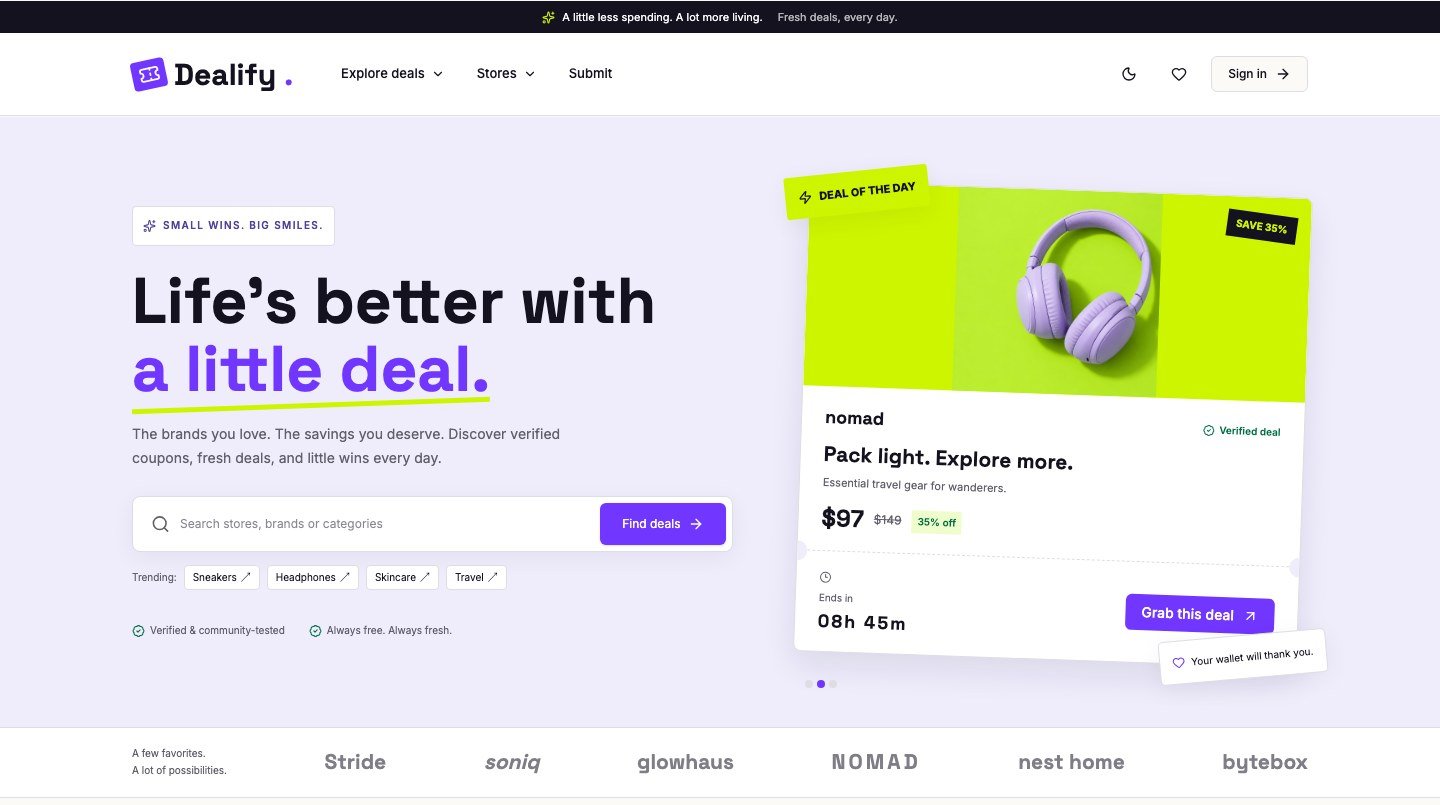
Dealify
From $59A friendly coupon and deals WordPress theme for affiliate and savings sites.

SkillForge
From $69A complete online course and LMS WordPress theme for academies, instructors and course marketplaces.